> ## Documentation Index
> Fetch the complete documentation index at: https://docs.deepidv.com/llms.txt
> Use this file to discover all available pages before exploring further.
# Export to PDF or CSV
> Export verification data to PDF or CSV formats
Export session data from the Admin Console for reporting, compliance, or record-keeping.
## Export formats
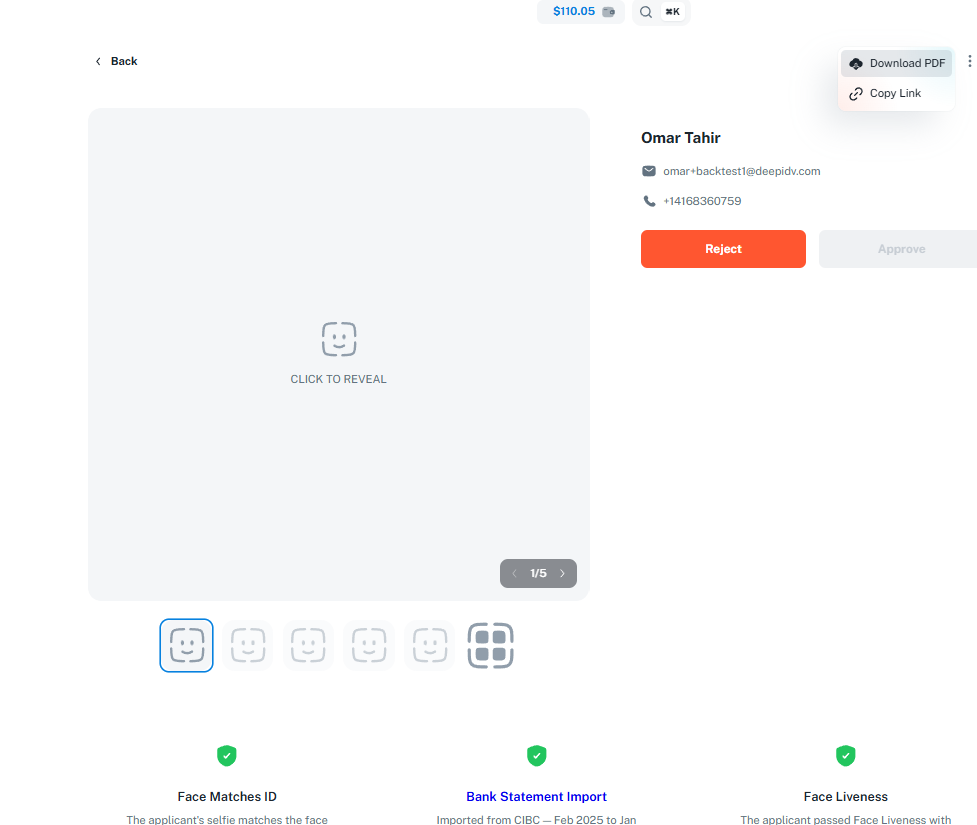
Export individual session details as a formatted PDF document — ideal for compliance records, sharing with stakeholders, or archiving completed verifications.
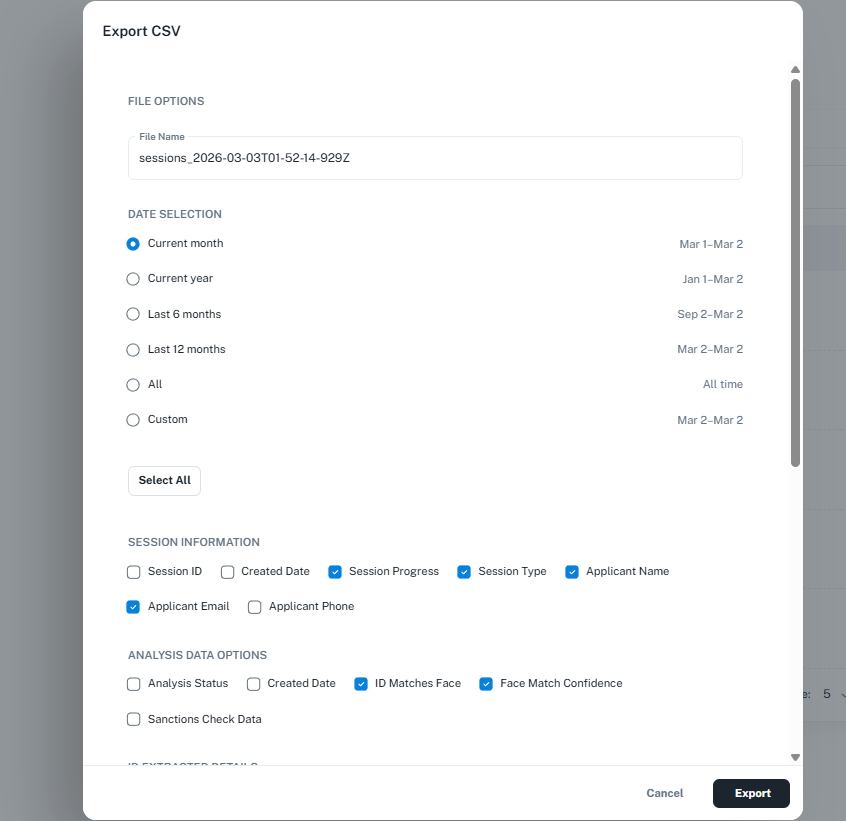
Export session data in bulk as a CSV file — ideal for analysis, importing into spreadsheets, or integrating with your internal systems.
## Exporting a single session as PDF
1. Open a session in the [Admin Console](https://app.deepidv.com)
2. Click **Export** → **PDF**
3. The PDF includes applicant details, verification results, document images, and status history
 ## Exporting sessions in bulk as CSV
1. Navigate to **Sessions** in the [Admin Console](https://app.deepidv.com)
2. Apply any filters to narrow down the data you want to export (status, date range, workflow, etc.)
3. Click **Export** → **CSV**
4. The CSV file downloads with one row per session
## Exporting sessions in bulk as CSV
1. Navigate to **Sessions** in the [Admin Console](https://app.deepidv.com)
2. Apply any filters to narrow down the data you want to export (status, date range, workflow, etc.)
3. Click **Export** → **CSV**
4. The CSV file downloads with one row per session
 ### CSV fields
The exported CSV includes:
| Field | Description |
| -------------- | ------------------------------------- |
| Session ID | Unique session identifier |
| External ID | Your internal reference (if provided) |
| Applicant Name | First and last name |
| Email | Applicant's email address |
| Phone | Applicant's phone number |
| Status | Current session status |
| Workflow | Workflow used for the session |
| Created At | Session creation timestamp |
| Completed At | Verification completion timestamp |
### CSV fields
The exported CSV includes:
| Field | Description |
| -------------- | ------------------------------------- |
| Session ID | Unique session identifier |
| External ID | Your internal reference (if provided) |
| Applicant Name | First and last name |
| Email | Applicant's email address |
| Phone | Applicant's phone number |
| Status | Current session status |
| Workflow | Workflow used for the session |
| Created At | Session creation timestamp |
| Completed At | Verification completion timestamp |