

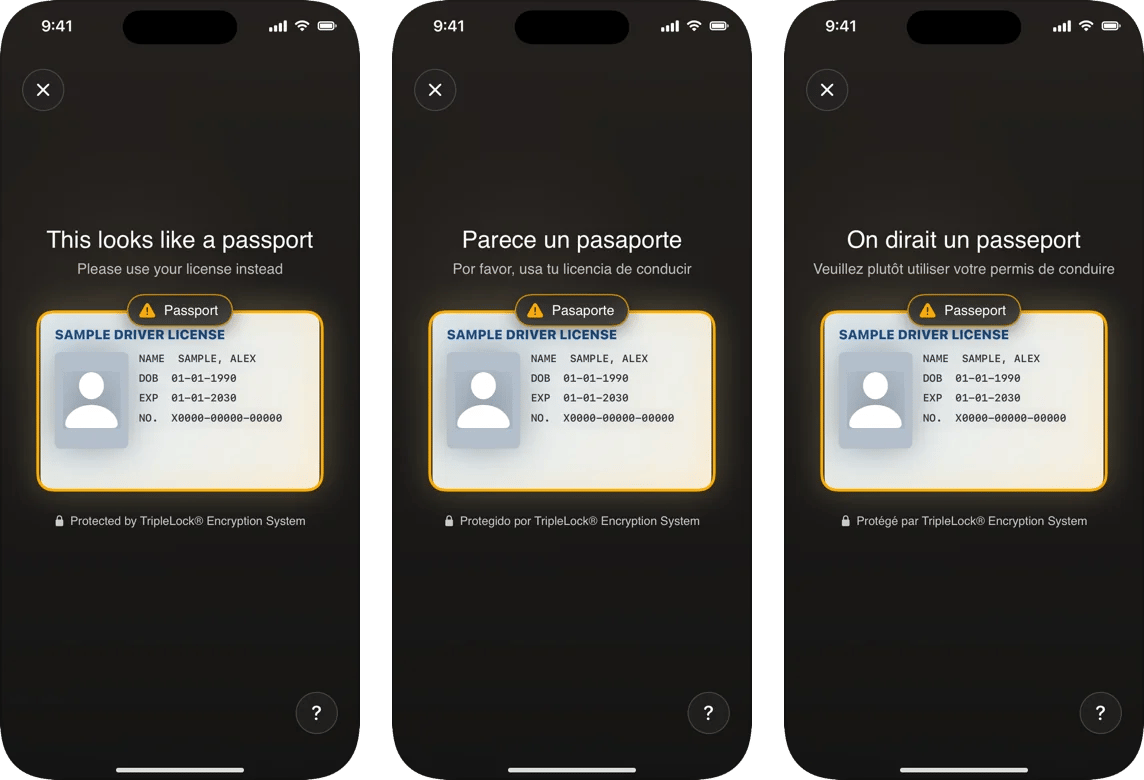
The same message in English, Spanish and French.
How the language is chosen
DeepIDVConfig.language, if you set it.- Otherwise, the first of the user’s preferred languages (Settings > General > Language & Region) that the SDK has.
- Otherwise, English.
Set it explicitly
If your app has its own language setting, pass it so the SDK matches:The language applies to the whole app process. If you create several clients with different languages, the one created last wins. Use one client, or give all clients the same language.
What’s translated
Every line the SDK shows: instructions, document names on the capture screen, buttons, errors, retries, the closing screen and VoiceOver announcements. A document’s official name keeps its own spelling (for example “UK Driving Licence”). Your own copy around the SDK (for example the screen afteronResult) is yours to translate. The SDK’s DeepIDVError.message and WorkflowFailure.message are developer strings in English; don’t show them to users.