Export formats
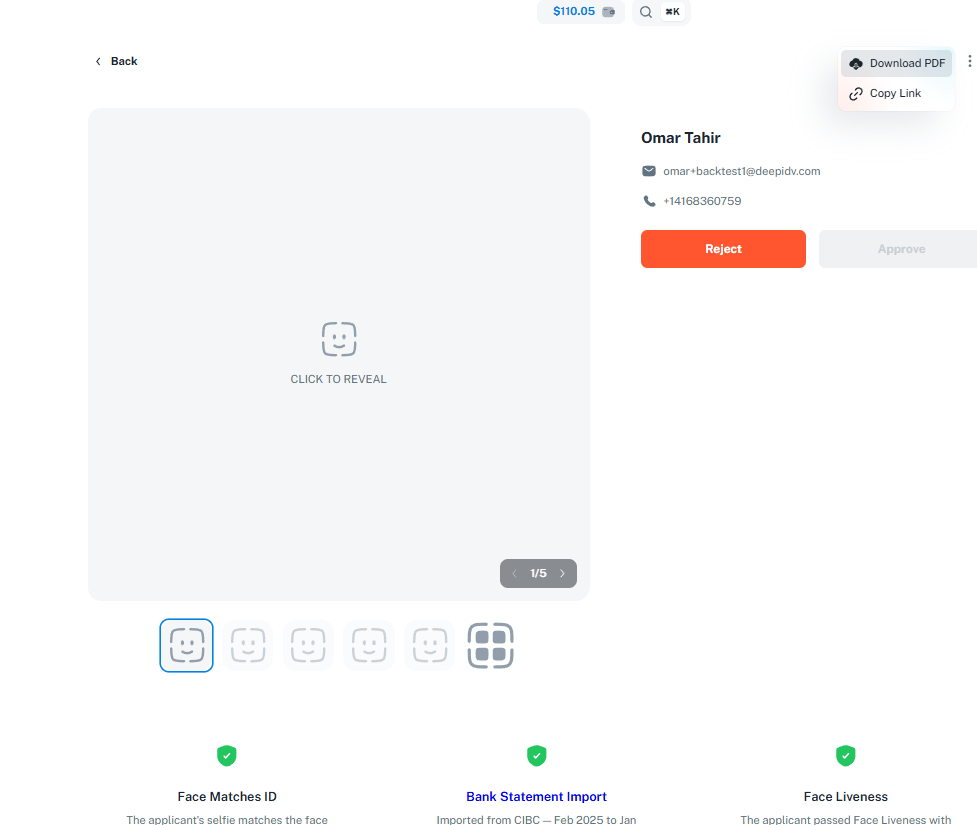
PDF Export
Export individual session details as a formatted PDF document — ideal for compliance records, sharing with stakeholders, or archiving completed verifications.
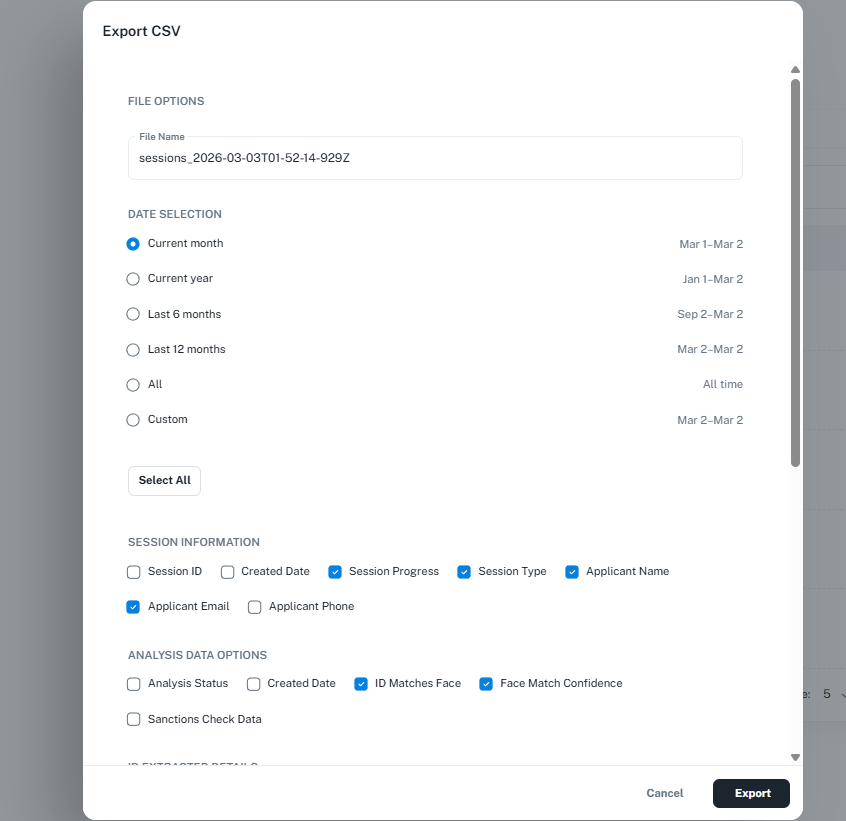
CSV Export
Export session data in bulk as a CSV file — ideal for analysis, importing into spreadsheets, or integrating with your internal systems.
Exporting a single session as PDF
- Open a session in the Admin Console
- Click Export → PDF
- The PDF includes applicant details, verification results, document images, and status history
Exporting sessions in bulk as CSV
- Navigate to Sessions in the Admin Console
- Apply any filters to narrow down the data you want to export (status, date range, workflow, etc.)
- Click Export → CSV
- The CSV file downloads with one row per session