

DocumentScannerView.
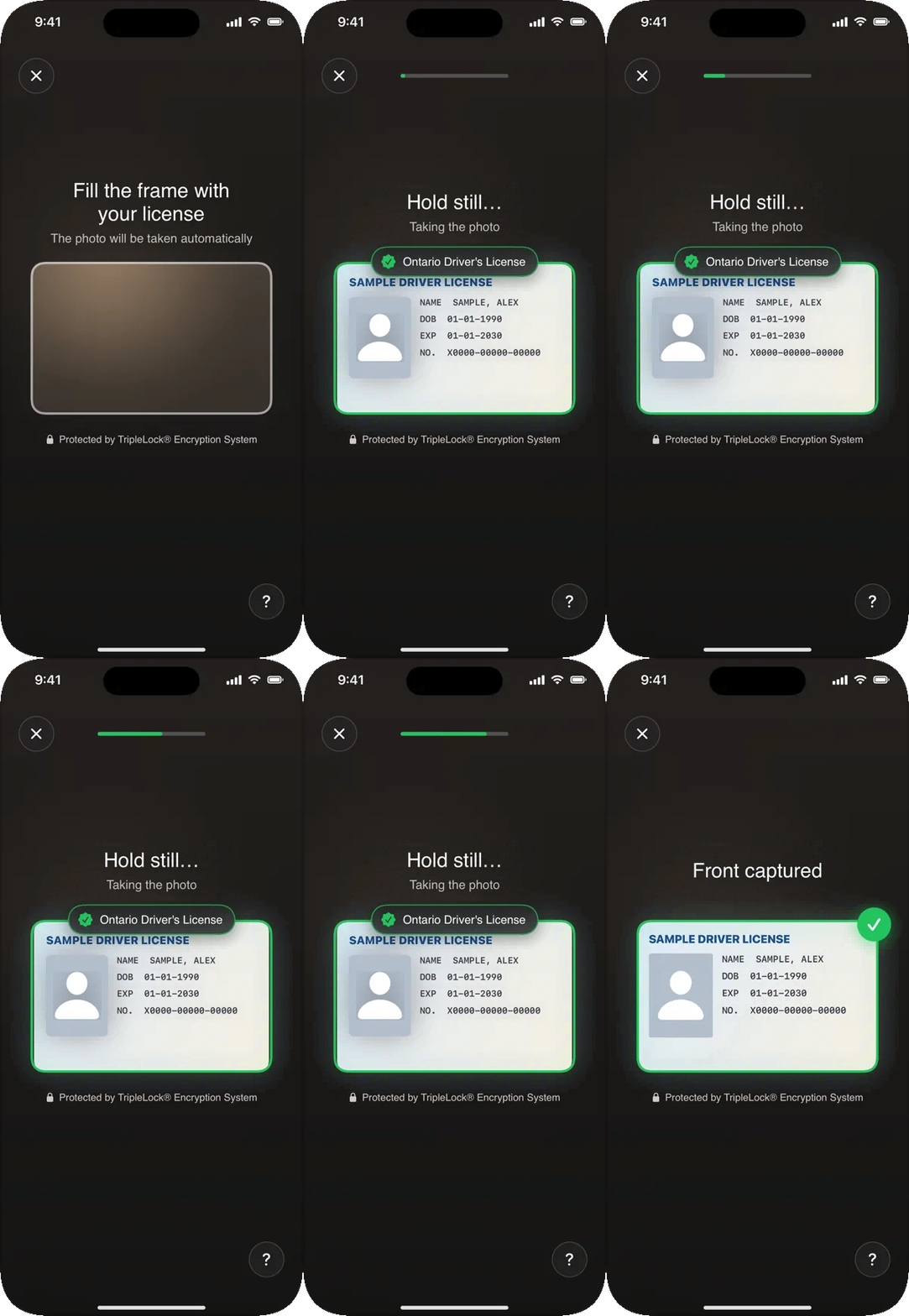
Searching, recognizing, holding still, captured.
What it does
Recognition runs on deepidv’s servers during capture and needs a workflow session, so it’s only in workflows. If recognition isn’t reachable (for example, a proxy that doesn’t forward
/id-capture/detect), capture carries on with the on-device checks. It never blocks capture.
To turn recognition off, set usesDocumentClassifier to false in DeepIDVConfig.
In a workflow
Nothing to add:DeepIDVWorkflowView shows the document picker (only the types the workflow accepts), then the camera, for each document the workflow asks for. See Screens and states for everything the user can see.
On its own: DocumentScannerView
Captures a document, uploads it and returns the fields read from it.
To let the user choose the type first, show
DocumentTypePicker(onSelect:) and pass its choice in.
DocumentScanResult
Errors
The photo that’s uploaded
- Taken at the largest size the camera offers, up to 12 MP (4032 × 3024).
- Cut to the frame drawn on screen, with a small margin, so nothing around the card (such as the face of the person holding it) is uploaded.
- In workflows, two extra frames taken just before the photo go with it. deepidv reads them only when the photo leaves the expiry date or date of birth unreadable, then deletes them.
Camera
On a phone, use the back camera (.back). On a kiosk or tablet facing the user, use the front camera (.front, the default). Document capture turns Center Stage off on iPads that have it, so the camera doesn’t reframe the card, and restores it afterwards. See Camera.
Related
- Screens and states: every screen, what triggers it, and capture guidance for your users
- Branding: colors and fonts on these screens
- Troubleshooting: auto-capture never fires, recognition missing