

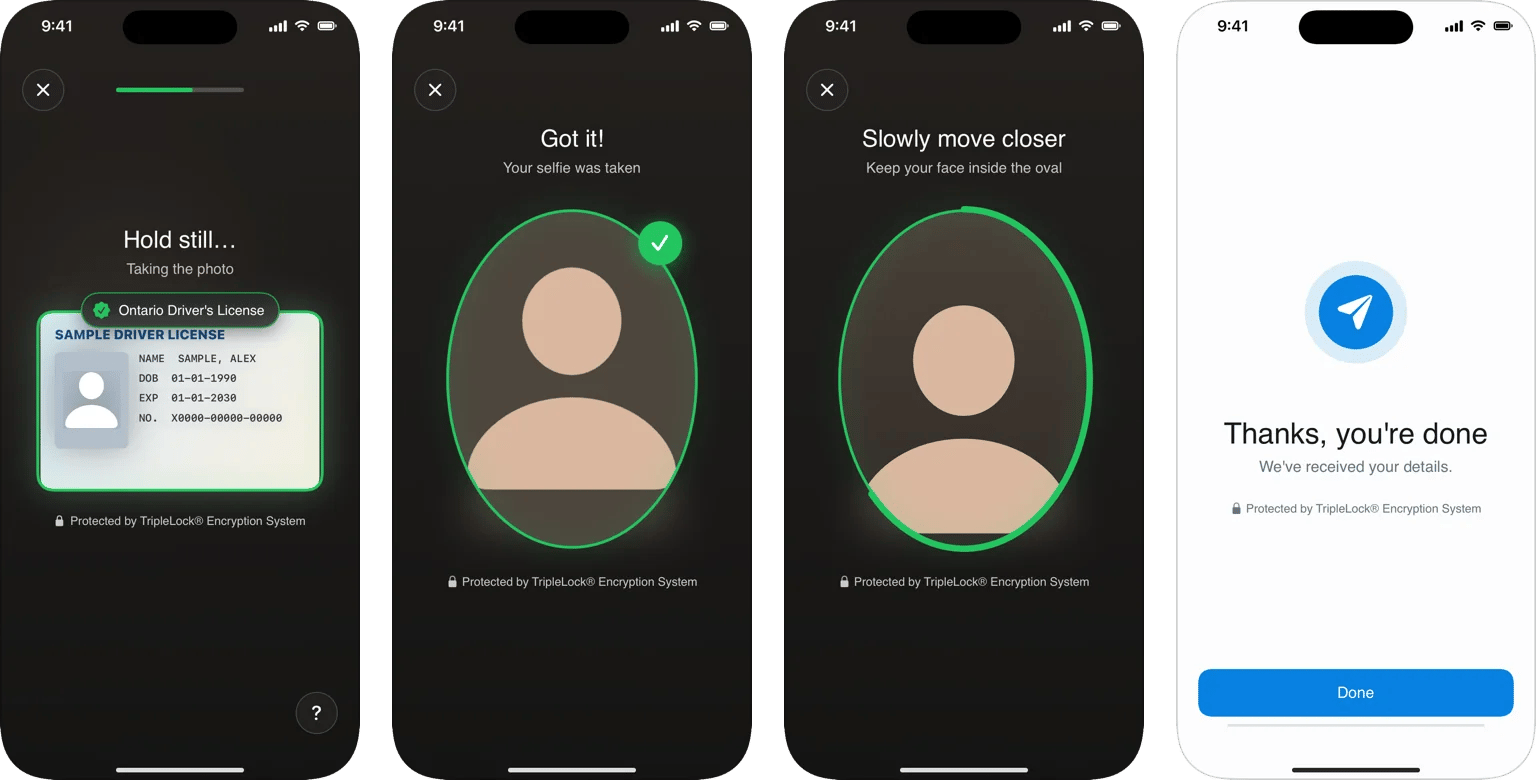
A workflow on iPhone: ID capture, selfie, face liveness, and the closing screen.
What’s included
Requirements
- iOS 15 or later
- Xcode 26 or later (Swift 6.2)
NSCameraUsageDescriptionin your app’sInfo.plist- No third-party dependencies: the SDK uses Apple frameworks only
How it fits together
Your app runs the screens. Your backend holds the deepidv API key, creates sessions, and receives the decision.- The SDK never needs your secret API key on the device. Route its requests through your backend, which adds the key. See Security and API keys.
- Photos upload straight to deepidv storage through short-lived presigned URLs, so your backend doesn’t carry images.
- The decision reaches your backend through webhooks and
GET /v1/sessions/{id}. The SDK’s result is for your UI, not for granting access.